 Griffith Software
Download
Version 1.4.1 · on the Chrome Web Store
Requirements. Chrome on a desktop computer.
What it does
ChatScribe saves an AI chat conversation as a clean document on your computer: PDF, Word (.docx) or Markdown.
Works on: claude.ai, chatgpt.com, gemini.google.com and perplexity.ai. It does nothing on any other website.
How to use it
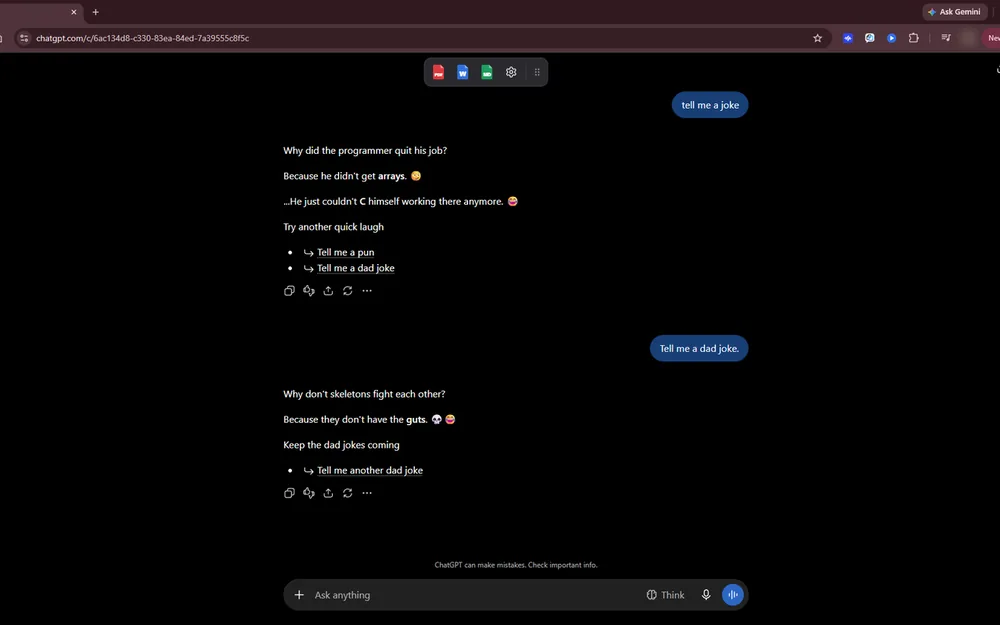
- Open a conversation and click PDF, Word or Markdown on the small export toolbar that appears on the page. You can drag the toolbar anywhere, and you can turn it off with the "Show export toolbar on chat pages" switch in the ChatScribe popup.
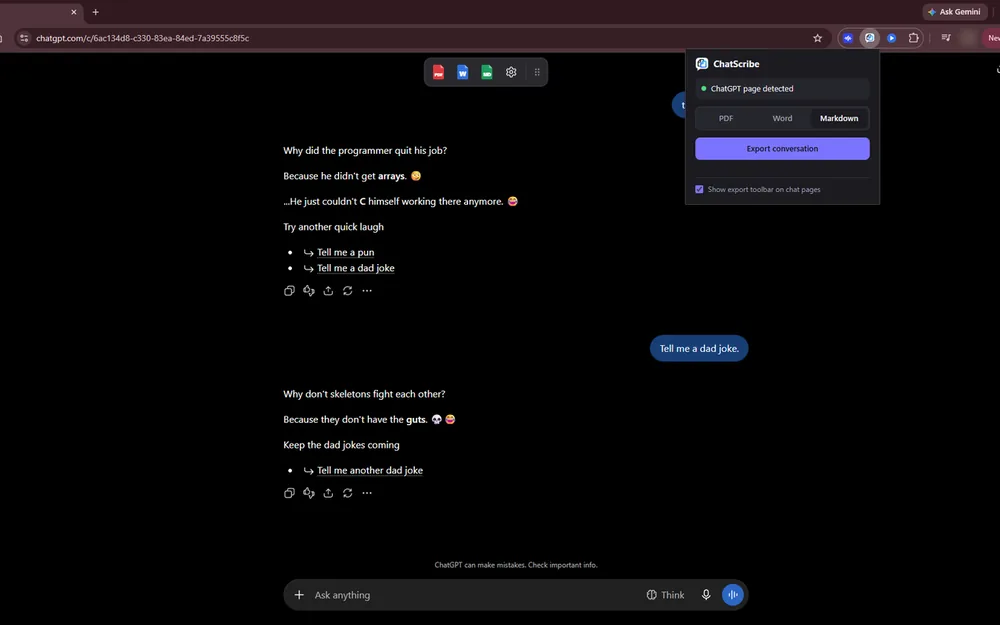
- Or click the ChatScribe button in Chrome's toolbar, pick a format, and click Export conversation.
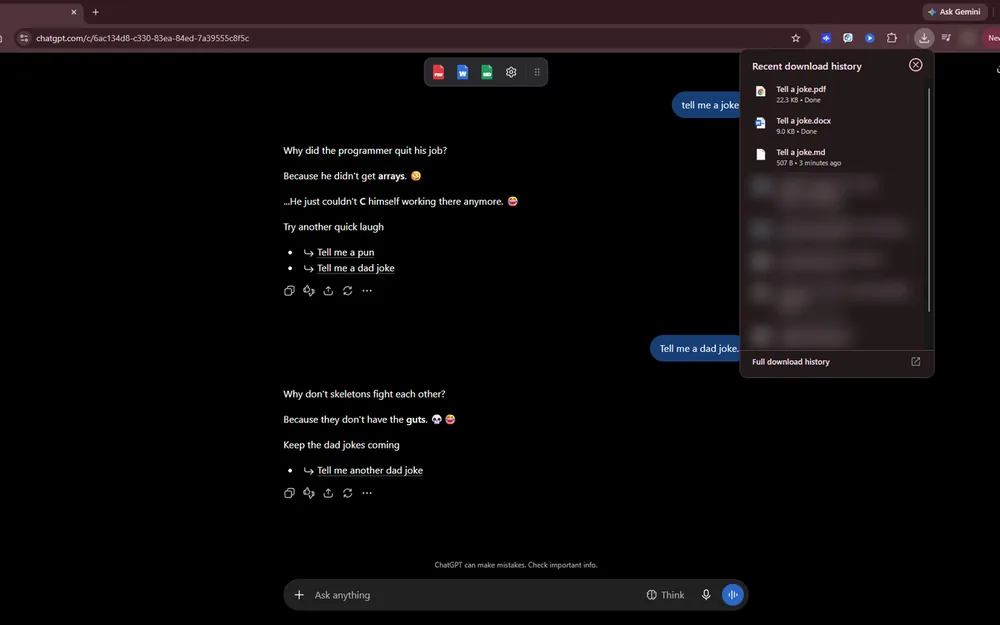
- The file is saved to your Downloads folder, named after the conversation's title.
What the export contains
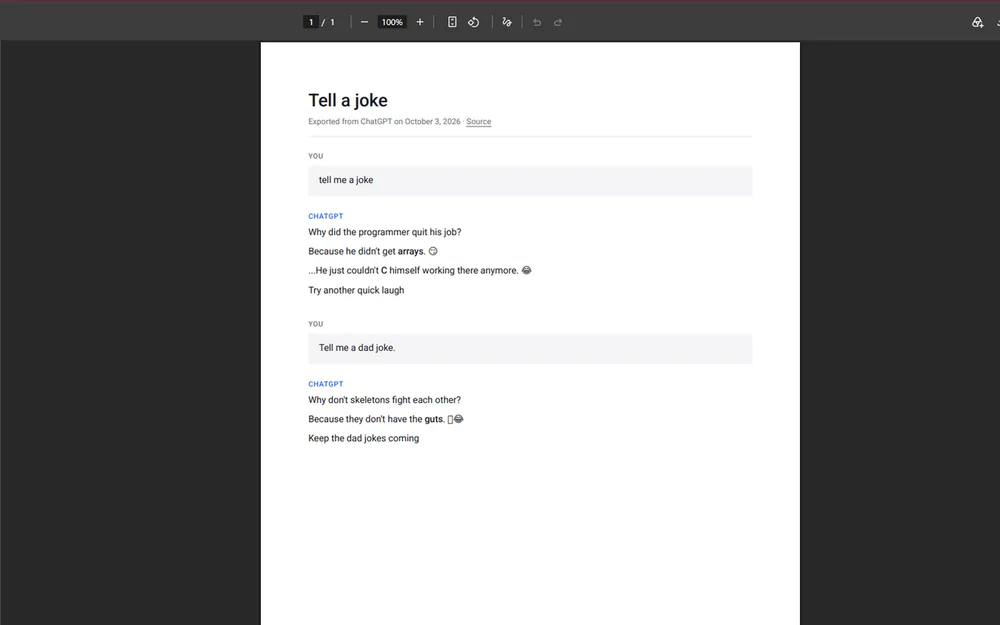
- The whole conversation, in order, with each message labeled "You" or with the AI's name. ChatScribe scrolls the chat to load long conversations, then returns you to where you were.
- Headings, bold and italic text, lists, tables, links and code blocks. Markdown files also keep each code block's language; PDF and Word show the code without the language label.
- A title and the date of the export. PDF and Markdown files also include a link back to the original conversation.
- A note on uploaded files (ChatGPT and Gemini) and uploaded images (Gemini). Images are not embedded: PDF and Word show an [image] placeholder, and Markdown links to the original image where the page provides one.
What is left out: buttons, menus and other parts of the website, thinking and tool-activity status lines (on Claude), "Researched" labels and citation numbers and source lists (on Perplexity).
Good to know
- In PDFs, Chinese, Japanese and Korean characters and most emoji show as empty boxes. Word and Markdown keep them.
- Math usually appears as TeX source, for example $x^2$.
- The AI sites change their pages from time to time, which can stop an export from working until ChatScribe is updated.
- Very long conversations can be cut short, because ChatScribe stops loading earlier messages after a fixed number of steps.
ChatScribe is an independent project. It is not made by, endorsed by, or affiliated with Anthropic, OpenAI, Google or Perplexity. Claude, ChatGPT, Gemini and Perplexity are trademarks of their owners.
Screenshots
Details
- PlatformChrome extension
- PriceFree
- StoreChrome Web Store
- Version1.4.1
- StatusAvailable
Release notes
Version 1.4.1
First public release. Export conversations from Claude, ChatGPT, Gemini and Perplexity to PDF, Word or Markdown with one click, from the on-page toolbar or the Chrome toolbar button. Long conversations are loaded in full before export. Everything happens in your browser: nothing is sent anywhere.
Privacy
ChatScribe runs entirely in your browser. It reads the conversation you are viewing, builds the file on your device, and saves it with your browser's download feature. It does not send your conversations, your exported files, or anything about how you use it to me or to anyone else. There are no ads, no analytics and no accounts, and I don't run a server for it.
Who runs it. ChatScribe is made by Griffith Software, Vinton, VA. Contact hello@griffith.software or use the feedback page.
What it reads. When you click export on Claude, ChatGPT, Gemini or Perplexity, ChatScribe reads the conversation text, the conversation's title and web address, and the names of files you uploaded (and how many images). It uses them only to build the PDF, Word or Markdown file inside your browser. Until you click export, it only checks whether a conversation is open, so it can show its export toolbar. It does not read other websites.
Where it goes. Into the file, and nowhere else. ChatScribe keeps no copy and makes no network requests to send information anywhere. Images aren't downloaded: PDF and Word files show a placeholder, and Markdown files keep a link to the image's web address.
What it stores. Three settings in your browser's local extension storage: your last chosen format, whether the on-page toolbar is shown, and where you placed it. They never leave your device, and uninstalling ChatScribe deletes them.
Sharing, retention and deletion. I never receive your data, so nothing is shared, sold or kept, and there is nothing to delete. Exported files are ordinary files on your computer that you control. They hold whatever is in the conversation, so store and share them with care.
Children. ChatScribe is a general-purpose tool and is not directed at children under 13.
Changes. If ChatScribe ever starts sending any information anywhere, this section will be updated before that version is released, with a new effective date.
Privacy section effective October 5, 2026 (ChatScribe 1.4.1)
Why it asks for each permission
| Permission | What it is for |
|---|---|
| Access to claude.ai, chatgpt.com, gemini.google.com and perplexity.ai | Lets the extension read the conversation on those pages so it can be exported, and show its export toolbar there. It is limited to those sites. |
| downloads | Saves the exported file to your computer. |
| scripting | Makes export work in a chat tab that was already open before ChatScribe was installed or updated, when you ask for it. |
| storage | Remembers your settings on your device: last format, and whether and where the on-page toolbar is shown. |
Free, as is
ChatScribe is provided as is, with no promise of support, fixes or new features. See the terms. Found a problem or want a feature? Use the feedback page. I read everything but can't promise a response.
Last updated October 5, 2026